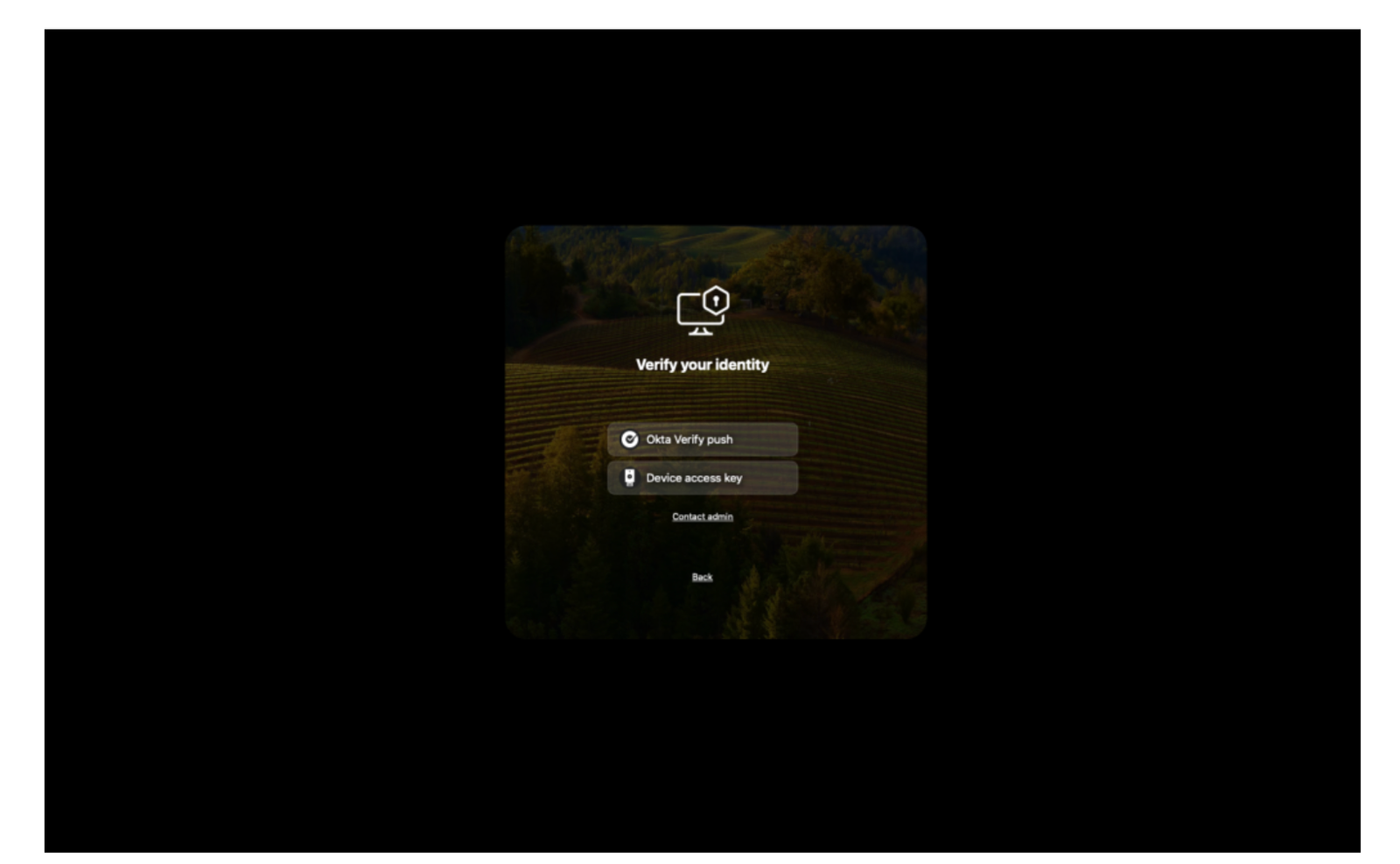
Okta Device Access – Allowed Factors on macOS
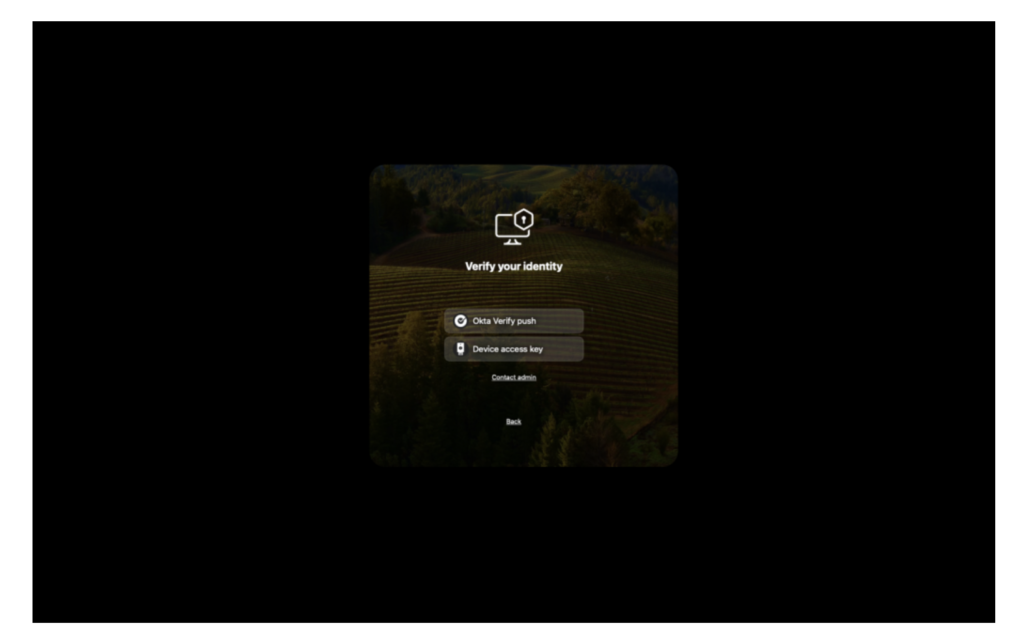
Introduction
Admins can now control which verification methods users are permitted to authenticate with by configuring a new registry value called AllowedFactors.
This provides greater flexibility in managing authentication options within the system.
Prerequisites
- Okta Device Access Desktop MFA configured in your environment
- Okta Verify version 9.23 or later is installed on all macOS endpoints to enable
Allowed Factors functionality.
Configure Allowed Factors MDM policy
Deploy the configuration to your devices using your Mobile Device Management (MDM) solution.
Ensure that you apply the following settings in your Desktop MFA MDM profile for proper configuration:
| Value name | Description | Default value |
| AllowedFactors | You can specify a list of authentication factors that users are permitted to use. These factors will be presented in the order they are listed in your configuration. If no factors are defined, all available methods will be allowed by default. Make sure each factor is correctly spelled to ensure proper functionality. Accepted values for AllowedFactors include:– OV_Push – OV_TOTP – Offline_TOTP – FIDO2_USB_key | * |
We’ll explore sample configurations using popular Mobile Device Management (MDM) vendors, including Omnissa Workspace ONE, Jamf Pro, Kandji, and Microsoft Intune.
These examples will guide you in setting up Desktop MFA Recovery on macOS devices through each platform.
- YOUR_OKTA_URL
- YOUR_CLIENT_ID
- YOUR_CLIENT_SECRET
- YOUR_ADMIN_EMAIL
Omnissa Workspace ONE UEM
Set up or modify the Custom Settings profile for Okta Device Access Desktop MFA within your Omnissa Workspace ONE UEM console.
Ensure that the profile is correctly configured to support Desktop MFA functionality.
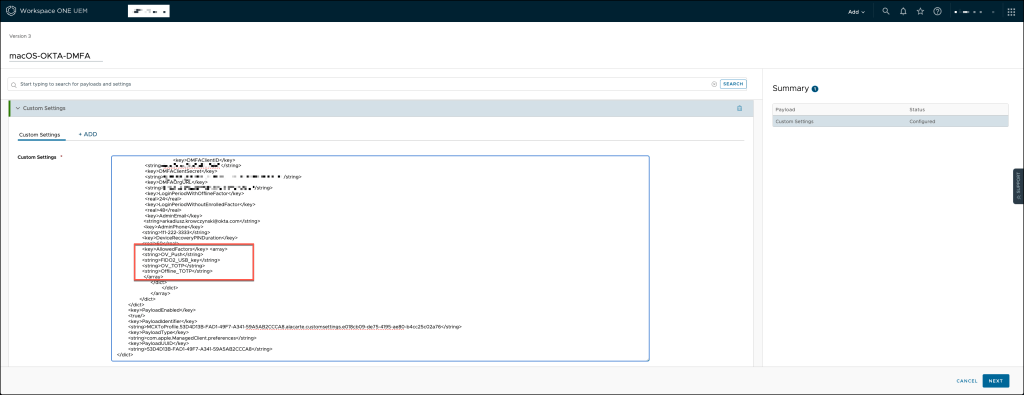
You can use the template below to ensure accurate configuration
<dict>
	<key>PayloadContent</key>
	<dict>
		<key>com.okta.deviceaccess.servicedaemon</key>
		<dict>
			<key>Forced</key>
			<array>
				<dict>
					<key>mcx_preference_settings</key>
					<dict>
					<key>DMFAClientID</key>
                    <string>YOUR_CLIENT_ID</string>
                    <key>DMFAClientSecret</key>
                    <string>YOUR_CLIENT_SECRET</string>
                    <key>DMFAOrgURL</key>
                    <string>https://YOUR_OKTA_URL</string>
                    <key>LoginPeriodWithOfflineFactor</key>
                    <real>168</real>
                    <key>LoginPeriodWithoutEnrolledFactor</key>
                    <real>48</real>
                    <key>AdminEmail</key>
                   <string>YOUR_ADMIN_EMAIL</string>
                   <key>AdminPhone</key>
                  <string>111-222-3333</string>
                  <key>DeviceRecoveryPINDuration</key>
                  <real>60</real>
                  <key>AllowedFactors</key>
                    <array>
                    <string>OV_Push</string>
                  <string>FIDO2_USB_key</string>
                  <string>OV_TOTP</string>
                  <string>Offline_TOTP</string>
                    </array>
	                </dict>
				</dict>
			</array>
		</dict>
	</dict>
	<key>PayloadEnabled</key>
	<true/>
	<key>PayloadIdentifier</key>
	<string>MCXToProfile.53D4D13B-FAD1-49F7-A341-59A5AB2CCCA8.alacarte.customsettings.e018cb09-de75-4195-ae80-b4cc25c02a76</string>
	<key>PayloadType</key>
	<string>com.apple.ManagedClient.preferences</string>
	<key>PayloadUUID</key>
	<string>53D4D13B-FAD1-49F7-A341-59A5AB2CCCA8</string>
</dict>
Jamf Pro
In a Jamf Pro environment, set up or modify the Configuration Profile to implement Okta Device Access Desktop MFA. Make sure the profile is properly configured to support the Desktop MFA setup effectively.
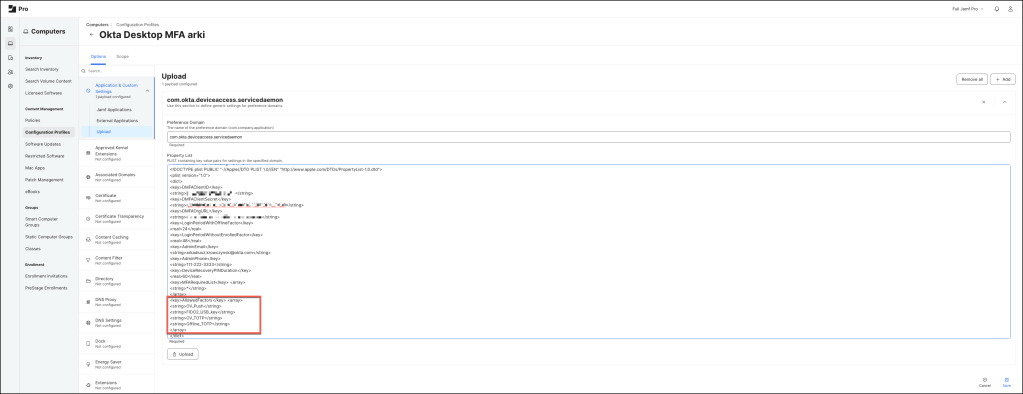
Preference Domain
com.okta.deviceaccess.servicedaemonProperty List
<?xml version="1.0" encoding="UTF-8"?>
<!DOCTYPE plist PUBLIC "-//Apple//DTD PLIST 1.0//EN" "http://www.apple.com/DTDs/PropertyList-1.0.dtd">
<plist version="1.0">
<dict>
<key>DMFAClientID</key>
<string>YOUR_CLIENT_ID</string>
<key>DMFAClientSecret</key>
<string>YOUR_CLIENT_SECRET</string>
<key>DMFAOrgURL</key>
<string>https://your-okta-URL</string>
<key>LoginPeriodWithOfflineFactor</key>
<real>24</real>
<key>LoginPeriodWithoutEnrolledFactor</key>
<real>48</real>
<key>AdminEmail</key>
<string>YOUR_ADMIN_EMAIL</string>
<key>AdminPhone</key>
<string>111-222-3333</string>
<key>DeviceRecoveryPINDuration</key>
<real>60</real>
<key>MFARequiredList</key> <array>
<string>*</string>
</array>
<key>AllowedFactors</key> <array>
<string>OV_Push</string>
<string>FIDO2_USB_key</string>
<string>OV_TOTP</string>
<string>Offline_TOTP</string>
</array>
</dict>
</plist>
Kandji
If you’re using Kandji, either create a new Library setting or update an existing one to configure Okta Device Access Desktop MFA. Ensure that the settings align with the required configuration for optimal functionality.
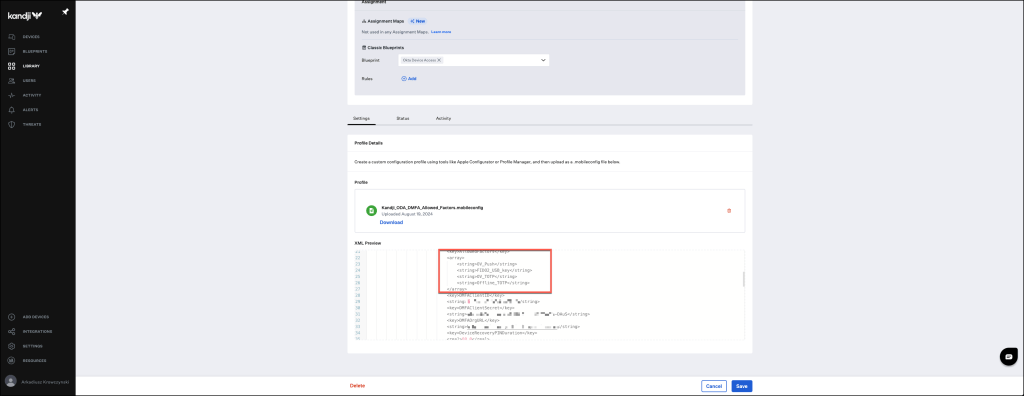
You can use the template below to ensure accurate configuration.
<?xml version="1.0" encoding="UTF-8"?>
<!DOCTYPE plist PUBLIC "-//Apple//DTD PLIST 1.0//EN" "http://www.apple.com/DTDs/PropertyList-1.0.dtd">
<plist version="1">
    <dict>
        <key>PayloadUUID</key>
        <string>2F0FC0DC-953A-4247-A4E6-F64A0A3FA2DB</string>
        <key>PayloadType</key>
        <string>Configuration</string>
        <key>PayloadOrganization</key>
        <string>beste</string>
        <key>PayloadIdentifier</key>
        <string>2F0FC0DC-953A-4247-A4E6-F64A0A3FA2DB</string>
        <key>PayloadDisplayName</key>
        <string>Kandji DMFA Payload</string>
        <key>PayloadDescription</key>
        <string/>
        <key>PayloadVersion</key>
        <integer>1</integer>
        <key>PayloadEnabled</key>
        <true/>
        <key>PayloadRemovalDisallowed</key>
        <true/>
        <key>PayloadScope</key>
        <string>System</string>
        <key>PayloadContent</key>
        <array>
            <dict>
                <key>PayloadDisplayName</key>
                <string>Custom Settings</string>
                <key>PayloadIdentifier</key>
                <string>3472DF62-D492-4211-9D59-748B2107CDE9</string>
                <key>PayloadOrganization</key>
                <string>Kandji Software</string>
                <key>PayloadType</key>
                <string>com.apple.ManagedClient.preferences</string>
                <key>PayloadUUID</key>
                <string>3472DF62-D492-4211-9D59-748B2107CDE9</string>
                <key>PayloadVersion</key>
                <integer>1</integer>
                <key>PayloadContent</key>
                <dict>
                    <key>com.okta.deviceaccess.servicedaemon</key>
                    <dict>
                        <key>Forced</key>
                        <array>
                            <dict>
                                <key>mcx_preference_settings</key>
                                <dict>
                                    <key>DMFAClientID</key>
                                    <string>0oa54rac3fsGcQhxR0x7</string>
                                    <key>DMFAClientSecret</key>
                                    <string>q1Wi83kGwk-dzpOcV0rMdXIf1rhAXZPYWYs-DAuS</string>
                                    <key>DMFAOrgURL</key>
                                    <string>https://YOUR_OKTA_URL</string>
                                    <key>LoginPeriodWithOfflineFactor</key>
                                    <real>24.0</real>
                                    <key>LoginPeriodWithoutEnrolledFactor</key>
                                    <real>48.0</real>
                                     <key>AdminEmail</key>
                                     <string>YOUR_ADMIN_EMAIL</string>
                                     <key>AdminPhone</key>
                                     <string>111-222-3333</string>
                                     <key>DeviceRecoveryPINDuration</key>
                                     <real>60</real>
                                    <key>MFARequiredList</key>
                                    <array>
                                        <string>*</string>
                                    </array>
                                    <key>AllowedFactors</key> <array>
                                    <string>OV_Push</string>
                                    <string>FIDO2_USB_key</string>
                                    <string>OV_TOTP</string>
                                    <string>Offline_TOTP</string>
                                   </array>
                                </dict>
                            </dict>
                        </array>
                    </dict>
                </dict>
            </dict>
        </array>
    </dict>
</plist>
Microsoft Intune
If Microsoft Intune is your chosen management tool, either create or update the Configuration profile to set up Okta Device Access Desktop MFA. Ensure the profile is correctly configured to meet your organization’s MFA requirements.
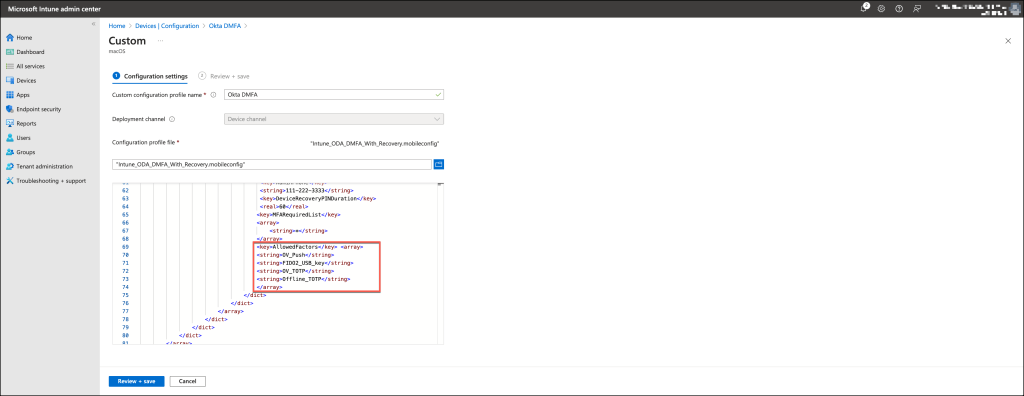
You can use the template below to ensure accurate configuration
<?xml version="1.0" encoding="UTF-8"?>
<!DOCTYPE plist PUBLIC "-//Apple//DTD PLIST 1.0//EN" "http://www.apple.com/DTDs/PropertyList-1.0.dtd">
<plist version="1">
    <dict>
        <key>PayloadUUID</key>
        <string>2F0FC0DC-953A-4247-A4E6-F64A0A3FA2DB</string>
        <key>PayloadType</key>
        <string>Configuration</string>
        <key>PayloadOrganization</key>
        <string>beste</string>
        <key>PayloadIdentifier</key>
        <string>2F0FC0DC-953A-4247-A4E6-F64A0A3FA2DB</string>
        <key>PayloadDisplayName</key>
        <string>Microsoft Intune DMFA/string>
        <key>PayloadDescription</key>
        <string/>
        <key>PayloadVersion</key>
        <integer>1</integer>
        <key>PayloadEnabled</key>
        <true/>
        <key>PayloadRemovalDisallowed</key>
        <true/>
        <key>PayloadScope</key>
        <string>System</string>
        <key>PayloadContent</key>
        <array>
            <dict>
                <key>PayloadDisplayName</key>
                <string>Custom Settings</string>
                <key>PayloadIdentifier</key>
                <string>3472DF62-D492-4211-9D59-748B2107CDE9</string>
                <key>PayloadOrganization</key>
                <string>Kandju Software</string>
                <key>PayloadType</key>
                <string>com.apple.ManagedClient.preferences</string>
                <key>PayloadUUID</key>
                <string>3472DF62-D492-4211-9D59-748B2107CDE9</string>
                <key>PayloadVersion</key>
                <integer>1</integer>
                <key>PayloadContent</key>
                <dict>
                    <key>com.okta.deviceaccess.servicedaemon</key>
                    <dict>
                        <key>Forced</key>
                        <array>
                            <dict>
                                <key>mcx_preference_settings</key>
                                <dict>
                                    <key>DMFAClientID</key>
                                    <string>0oa54rac3fsGcQhxR0x7</string>
                                    <key>DMFAClientSecret</key>
                                    <string>q1Wi83kGwk-dzpOcV0rMdXIf1rhAXZPYWYs-DAuS</string>
                                    <key>DMFAOrgURL</key>
                                    <string>https://YOUR_OKTA_URL</string>
                                    <key>LoginPeriodWithOfflineFactor</key>
                                    <real>24.0</real>
                                    <key>LoginPeriodWithoutEnrolledFactor</key>
                                    <real>48.0</real>
                                     <key>AdminEmail</key>
                                     <string>YOUR_ADMIN_EMAIL</string>
                                     <key>AdminPhone</key>
                                     <string>111-222-3333</string>
                                     <key>DeviceRecoveryPINDuration</key>
                                     <real>60</real>
                                    <key>MFARequiredList</key>
                                    <array>
                                        <string>*</string>
                                    </array>
                                    <key>AllowedFactors</key> <array>
                                   <string>OV_Push</string>
                                  <string>FIDO2_USB_key</string>
                                 <string>OV_TOTP</string>
                                <string>Offline_TOTP</string>
                                </array>
                                </dict>
                            </dict>
                        </array>
                    </dict>
                </dict>
            </dict>
        </array>
    </dict>
</plist>
Demo
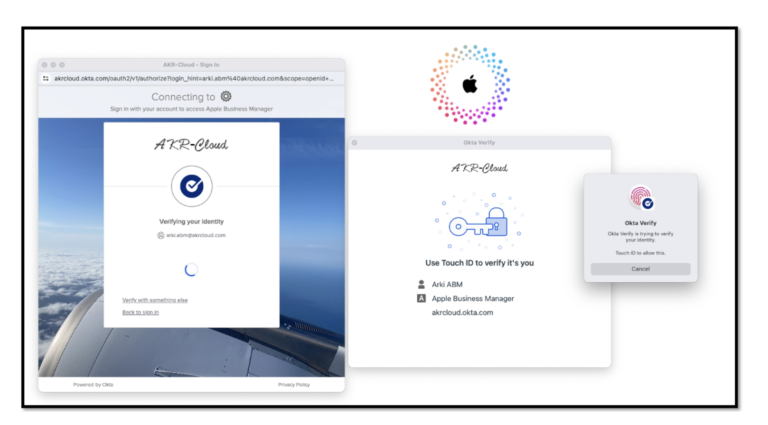
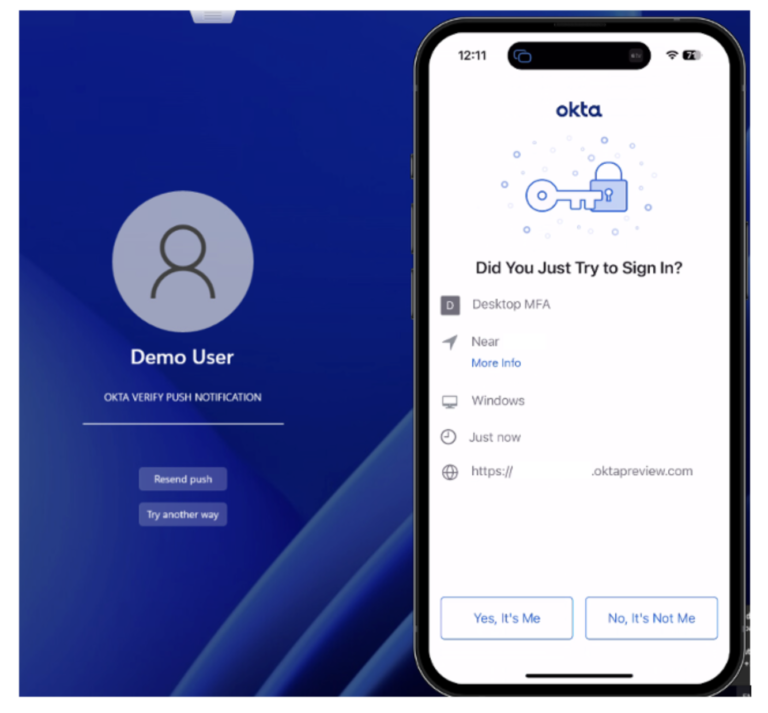
This demo showcases the Allowed Factors feature within Okta Device Access Desktop MFA, highlighting how it enables admins to customize and control user authentication methods.