Skip to content

  • Home
  • Articles
  • About Me
  • Contact me
  • Okta Device Access – Allowed Factors on macOS
    Apple | Integrations | Jamf | Jamf Pro | macOS | Okta | Okta Device Access | Omnissa | Workspace ONE UEM

    Okta Device Access – Allowed Factors on macOS

    ByArkadiusz Krowczynski January 11, 2026January 11, 2026

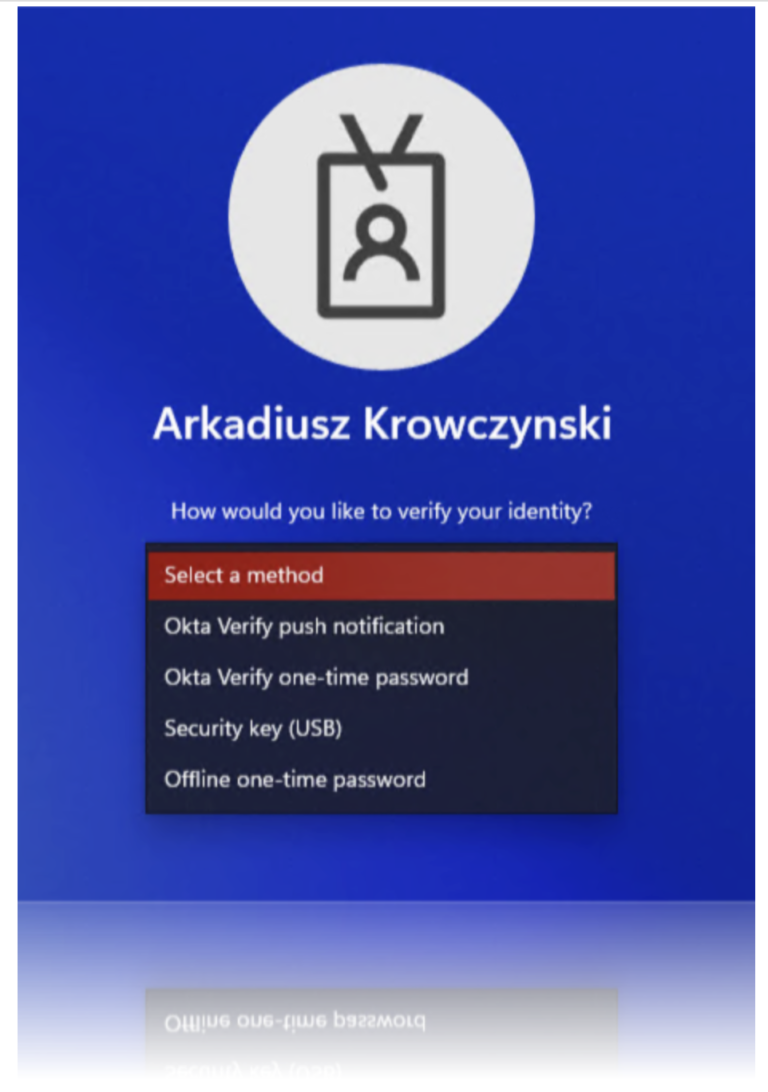
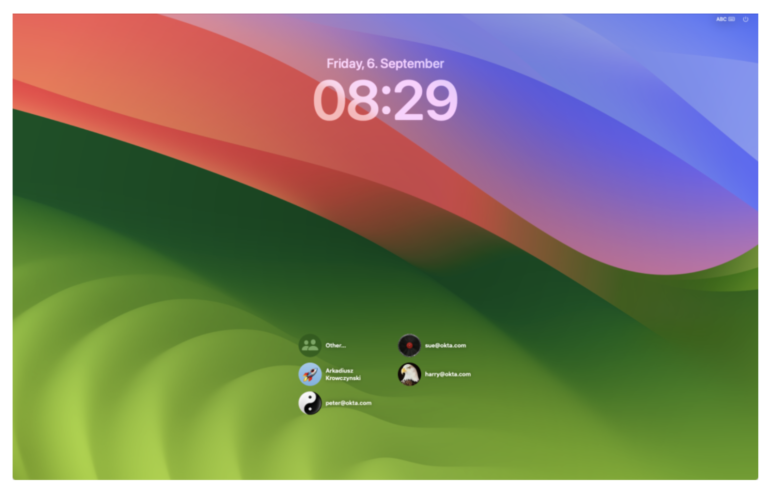
    Table of Contents Introduction Prerequisites Configure Allowed Factors MDM policy Omnissa Workspace ONE UEM Jamf Pro Kandji Microsoft Intune Demo Introduction Admins can now control which verification methods users are permitted to authenticate with by configuring a new registry value called AllowedFactors.This provides greater flexibility in managing authentication options within the system. Prerequisites Configure Allowed Factors…

    Read More Okta Device Access – Allowed Factors on macOSContinue

  • Just in Time Account Creation for macOS with Jamf Pro
    Apple | Integrations | Jamf | Jamf Pro | macOS | Okta | Okta Device Access

    Just in Time Account Creation for macOS with Jamf Pro

    ByArkadiusz Krowczynski January 11, 2026January 11, 2026

    April 2025: Additional app identifier required for the associated domain entry on macOS 15 Sequoia Table of Contents Introduction to Just-in-Time Local Account Creation on macOS with Okta Requirements for Implementing Just-in-Time Local Account Creation with Okta on macOS Enable JIT provisioning in the Admin Console Add custom attributes to Platform SSO app Set up Device Access SCEP certificates…

    Read More Just in Time Account Creation for macOS with Jamf ProContinue

  • Okta Devices Access – Just in Time Account Creation for macOS with Microsoft Intune
    Apple | Integrations | Intune | macOS | Microsoft | Okta | Okta Device Access

    Okta Devices Access – Just in Time Account Creation for macOS with Microsoft Intune

    ByArkadiusz Krowczynski January 11, 2026

    April 2025: Additional app identifier required for the associated domain entry on macOS 15 Sequoia Table of Contents Introduction to Just-in-Time Local Account Creation on macOS with Okta Requirements for Implementing Just-in-Time Local Account Creation with Okta on macOS Enable JIT provisioning in the Admin Console Add custom attributes to Platform SSO app Set up Device Access SCEP certificates…

    Read More Okta Devices Access – Just in Time Account Creation for macOS with Microsoft IntuneContinue

  • Okta Device Access with mosyle a step-by-step guide
    Apple | Device Integrations | macOS | mosyle | Okta | Okta Device Access

    Okta Device Access with mosyle a step-by-step guide

    ByArkadiusz Krowczynski January 11, 2026January 11, 2026

    April 2025: Additional app identifier required for the associated domain entry on macOS 15 Sequoia (mobileconfig template was updated) Introduction In this blog post, I’ll guide you through the process of configuring Okta Device Access Desktop MFA and Platform SSO for macOS devices managed with mosyle MDM. We’ll begin by setting up the required configurations within Okta, followed by creating and deploying the necessary…

    Read More Okta Device Access with mosyle a step-by-step guideContinue

  • Enhancing Security with Okta Identity Threat Protection and Omnissa
    Identity Threat Protection | Integrations | Okta | Omnissa | Workspace ONE UEM

    Enhancing Security with Okta Identity Threat Protection and Omnissa

    ByArkadiusz Krowczynski January 11, 2026January 11, 2026

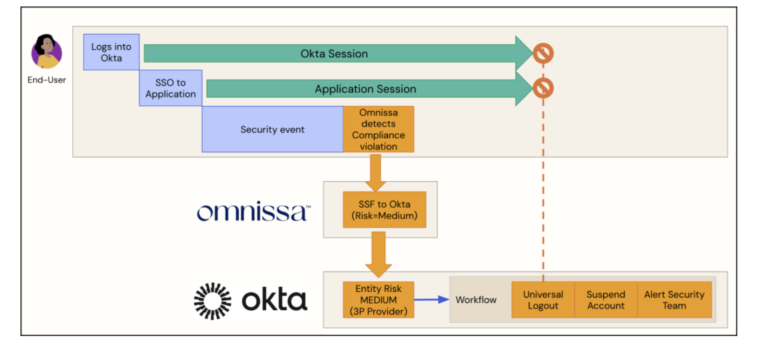
    Table of Contents Introduction Prerequisites Okta Omnissa Omnissa configuration Configure Security Events in Omnissa Workspace ONE UEM Compliance policies Okta Identity Threat Protection Configuration Configure the shared signal receiver Entity Risk Policy Policy Structure and Evaluation Actions Based on Matching Rules Add an entity risk policy rule for Universal Logout Add an entity risk policy…

    Read More Enhancing Security with Okta Identity Threat Protection and OmnissaContinue

  • Okta Device Access Out-of-the-box enrollment with Jamf Pro
    Apple | Jamf | Jamf Pro | Okta | Okta Device Access

    Okta Device Access Out-of-the-box enrollment with Jamf Pro

    ByArkadiusz Krowczynski January 11, 2026January 11, 2026

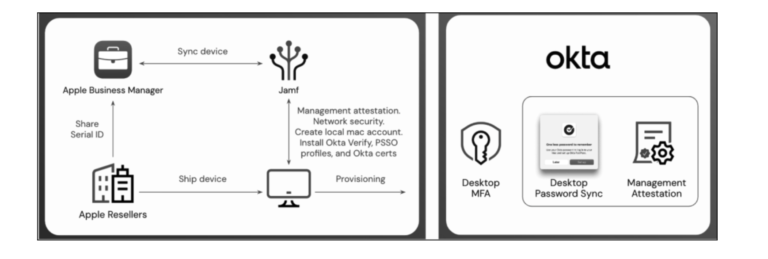
    April 2025: Additional app identifier required for the associated domain entry on macOS 15 Sequoia Table of Contents Introduction Requirements Okta Apple Business Manager (ABM) Account Jamf Pro MDM Configuration Demos Secure macOS onboarding and Platform SSO enrollment Just-in-Time (JIT) local account creation and Desktop MFA enrollment Configure Single-Sign-On Okta Configuration Jamf Pro Configuration Configure Okta LDAP…

    Read More Okta Device Access Out-of-the-box enrollment with Jamf ProContinue

  • Okta Device Access – FIDO2 security keys for Windows
    Okta | Okta Device Access

    Okta Device Access – FIDO2 security keys for Windows

    ByArkadiusz Krowczynski January 11, 2026January 11, 2026

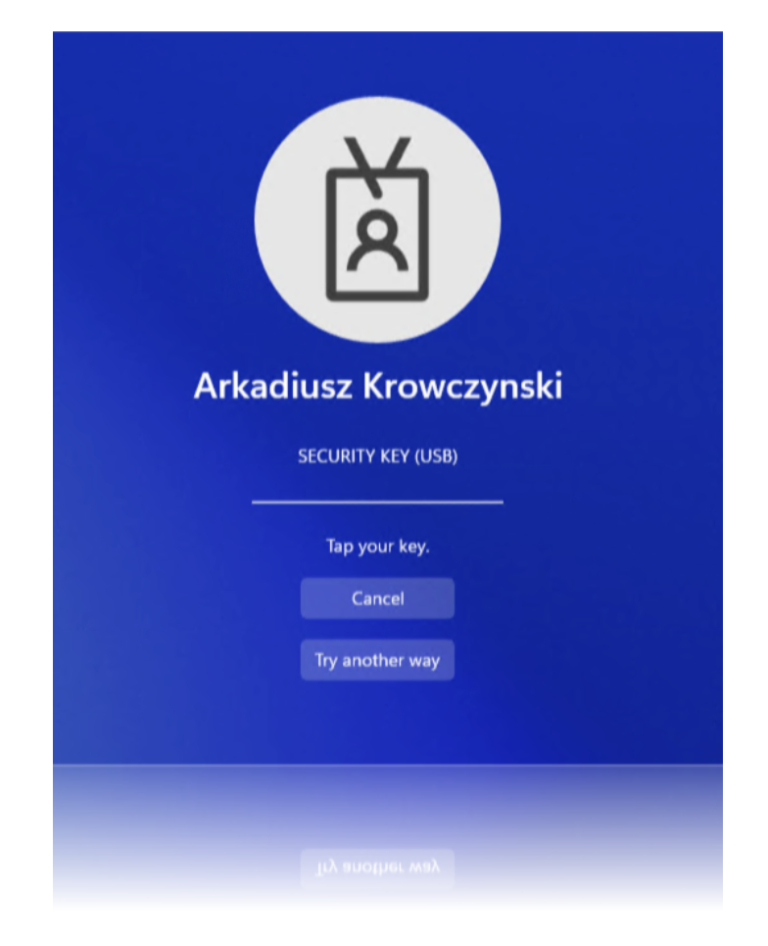
    January 2025: This is an Early Access release Table of Contents Introduction Requirements Activating FIDO2 Support for the Desktop MFA Set up the FIDO2 (WebAuthn) authenticator Setting Up FIDO2 Security Keys User registers YubiKey using the Okta End-User Dashboard Register a YubiKey on behalf of user in the Admin Console Authentication use cases Authentication User verification “Disabled” Demo –…

    Read More Okta Device Access – FIDO2 security keys for WindowsContinue

  • Okta Device Access Allowed Factors on Windows
    Okta | Okta Device Access

    Okta Device Access Allowed Factors on Windows

    ByArkadiusz Krowczynski January 11, 2026January 11, 2026

    January 2025: This is an Early Access release Table of Contents Introduction Prerequisites Configure Allowed Factors policy Demo Introduction We now have the capability to define which authentication methods users are allowed to utilize by setting a new registry value called AllowedFactors on Windows devices. This enhancement provides greater control and customization over authentication policies, allowing organizations to…

    Read More Okta Device Access Allowed Factors on WindowsContinue

  • Mastering Okta Device Access: A Comprehensive Guide to Deploying Desktop MFA with Microsoft Intune
    Intune | Microsoft | Okta | Okta Device Access

    Mastering Okta Device Access: A Comprehensive Guide to Deploying Desktop MFA with Microsoft Intune

    ByArkadiusz Krowczynski January 11, 2026January 19, 2026

    Table of Contents Requirements Okta Requirements Microsoft Intune Requirements Okta Desktop MFA Configuration Okta Verify Deployment Convert Okta Verify into .intunewin Package Deploy the Okta Verify .intunewin Package in Microsoft Intune Configuring Registry Settings for Okta Device Access in Microsoft Intune via a PowerShell Script Configure and deploy Okta Device Access access policies Okta Device…

    Read More Mastering Okta Device Access: A Comprehensive Guide to Deploying Desktop MFA with Microsoft IntuneContinue

  • Identity Threat Protection | Integrations | Jamf | Jamf Protect | Okta

    “Enhancing Zero Trust with Okta Identity Threat Protection and Jamf Security: Continuous Access Evaluation Through Shared Security Signals”

    ByArkadiusz Krowczynski January 11, 2026

    Table of Contents Introduction Prerequisites: Setting the Foundation for Okta Identity Threat Protection and Jamf Security Cloud Integration Okta Requirements Jamf Security Cloud Requirements Additional Considerations Demos Demo – Jamf Trust Activation with Okta Demo – Identity Threat Protection with Jamf and Universal Logout – macOS Demo – Identity Threat Protection with Jamf and Universal…

    Read More “Enhancing Zero Trust with Okta Identity Threat Protection and Jamf Security: Continuous Access Evaluation Through Shared Security Signals”Continue

Page navigation

Previous PagePrevious 1 2 3 4 5 Next PageNext

© 2026 - blog.iamarki.ai - All rights reserved

  • Disclaimer
  • Legal Notice
  • Privacy Policy
  • Home
  • Articles
  • About Me
  • Contact me