Deploying the Okta PSSO Application

Introduction
Implementing Okta Platform Single Sign-On (PSSO) is a critical step toward unifying endpoint security and cloud identity management for your macOS fleet. By leveraging Apple’s Extensible Enterprise SSO framework, the Okta PSSO Application establishes a secure, native bridge between the local macOS login window and the Okta Identity Cloud, drastically reducing authentication friction while enforcing robust identity policies.
In this short technicall guide, we will provide a comprehensive overview of how to configure and add the Okta PSSO Application within the Okta Admin Console.
We will walk through the required application integration steps, identity provider parameters, and console settings necessary to prepare the app for seamless MDM deployment.
Configuring the Okta PSSO App in the Admin Console
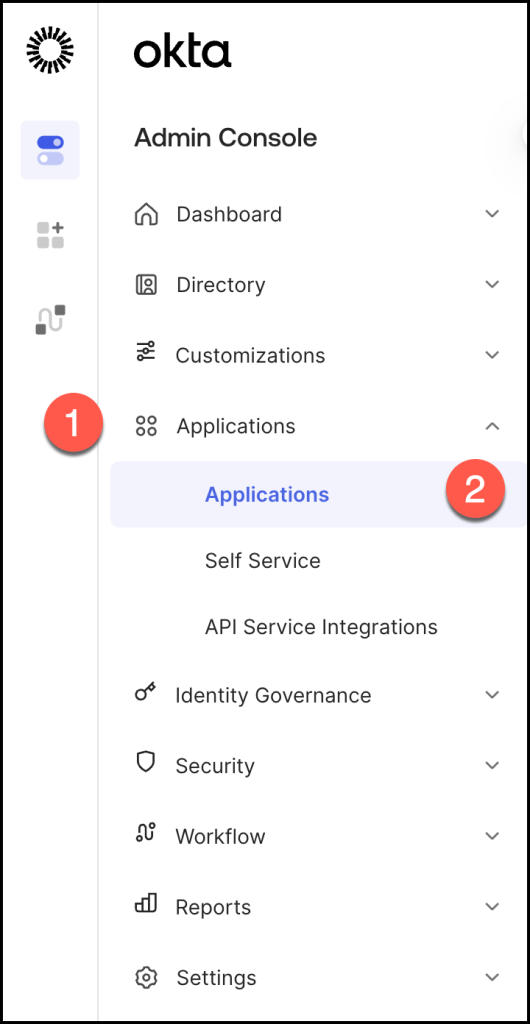
Navigate to Applications > Applications.
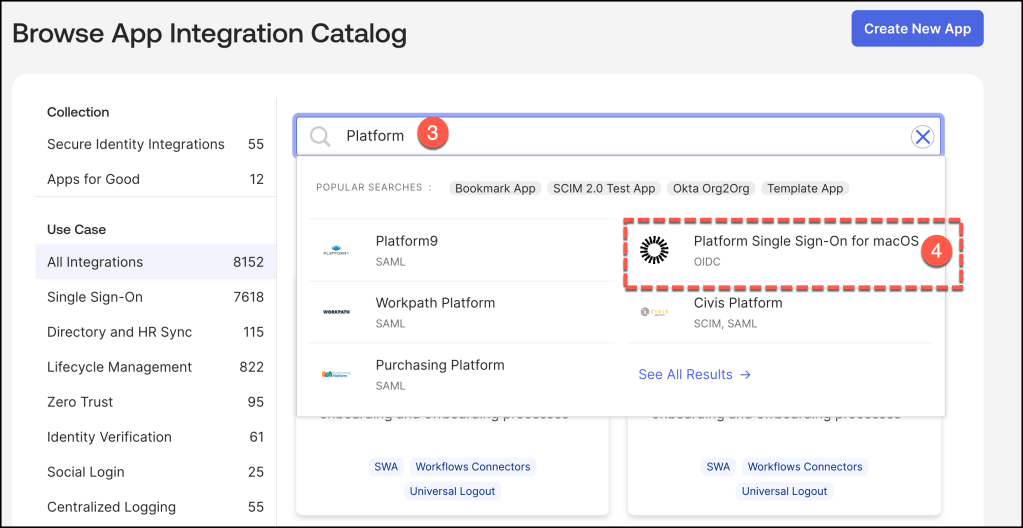
In the application catalog, search for Platform. From the results, select the Platform Single Sign-On for macOSapplication tile to begin the integration process.
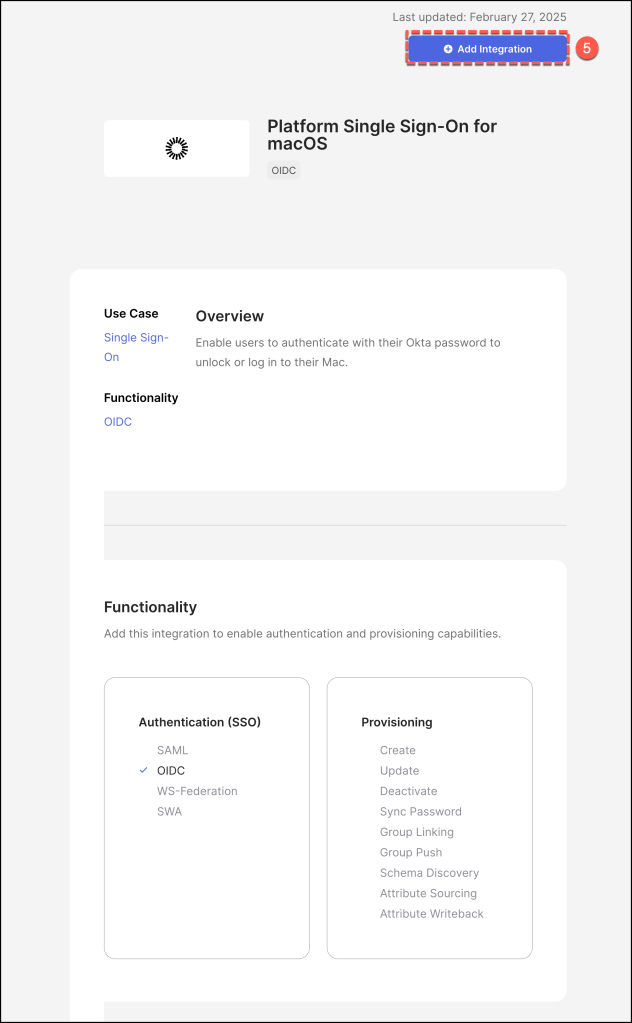
Click Add Integration to instantiate the Platform Single Sign-On for macOS application template within your Okta environment.
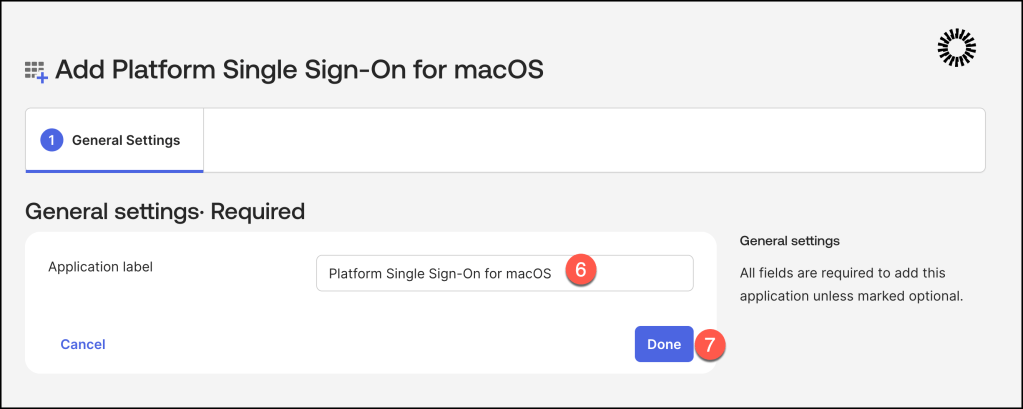
Choose a suitable Application Label and click Done
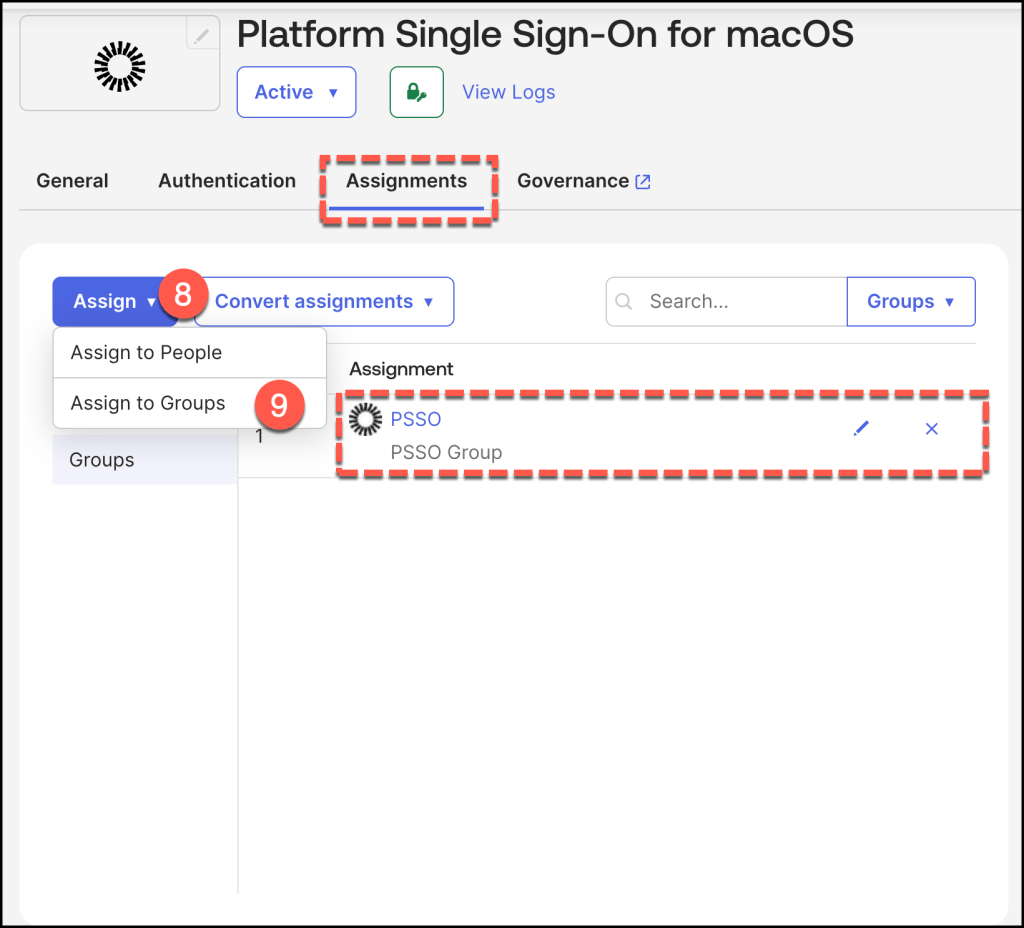
Navigate to the Assignments pane and assign the relevant users or groups to the Platform Single Sign-On for macOSapplication integration.
On the Authentication tab, note the Client ID.
This ID is required when creating the managed app configuration in your Jamf environment